
Documentation for BrandCocoon.com
Configuration
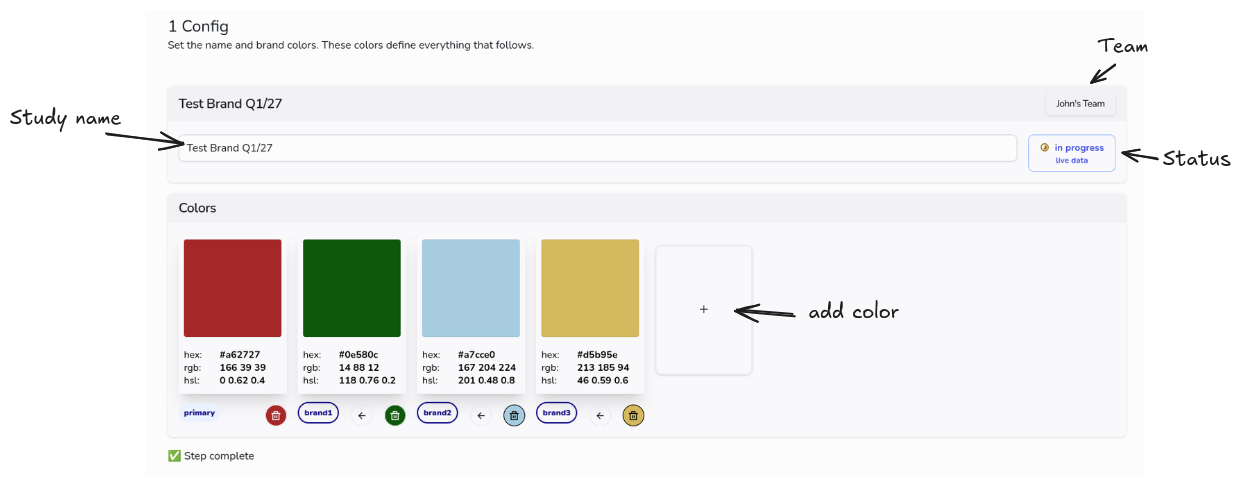
Meta Information
Enter a name for the study. You can change the name later if necessary.
Team
The settings section is only available for studies created with a subscription that includes a team feature.
Team Every new user account is automatically assigned to the team associated with your customer account. If you have a subscription with a team feature, you can invite team members. Every new study you create with the subscription is assigned to a team. It is not possible to change the team for a study.
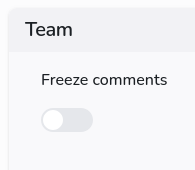
Freeze Comments: Under the “Team” setting, you can specify whether or not you want to allow comments from team members. The default setting is “Allow.” If necessary, you can disable the comment feature. You will still be able to read comments, but you will not be able to post new ones.
Status
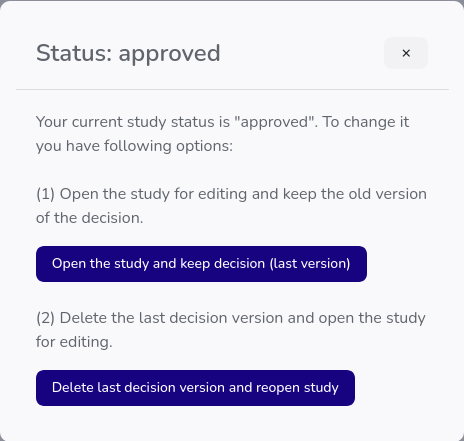
The study can be “in progress” or “approved.” The button displays the status. When you click it, you'll see several options.
For studies in the draft stage, the dialog will take you to the approval screen. For studies from subscriptions, you have two options:
- Retrieve the already approved version and return the study to draft mode for editing.
- Delete the already approved version and return the study to draft mode for editing.
Add a color
For adding a color you have 3 options. One is a regular color picker. Choose Hue, saturation and lightness. The second is to enter a domain. We check the domain in the database or of not found do a live search. The result is the main color, if we can find something. The third option is to provide an image, e.g. a logo. The prominent colors are extracted. But you can also use an eyedropper, if you want a specific color. The image is only used in the browser for color extraction and is afterwards discarded. No transfer to any server.
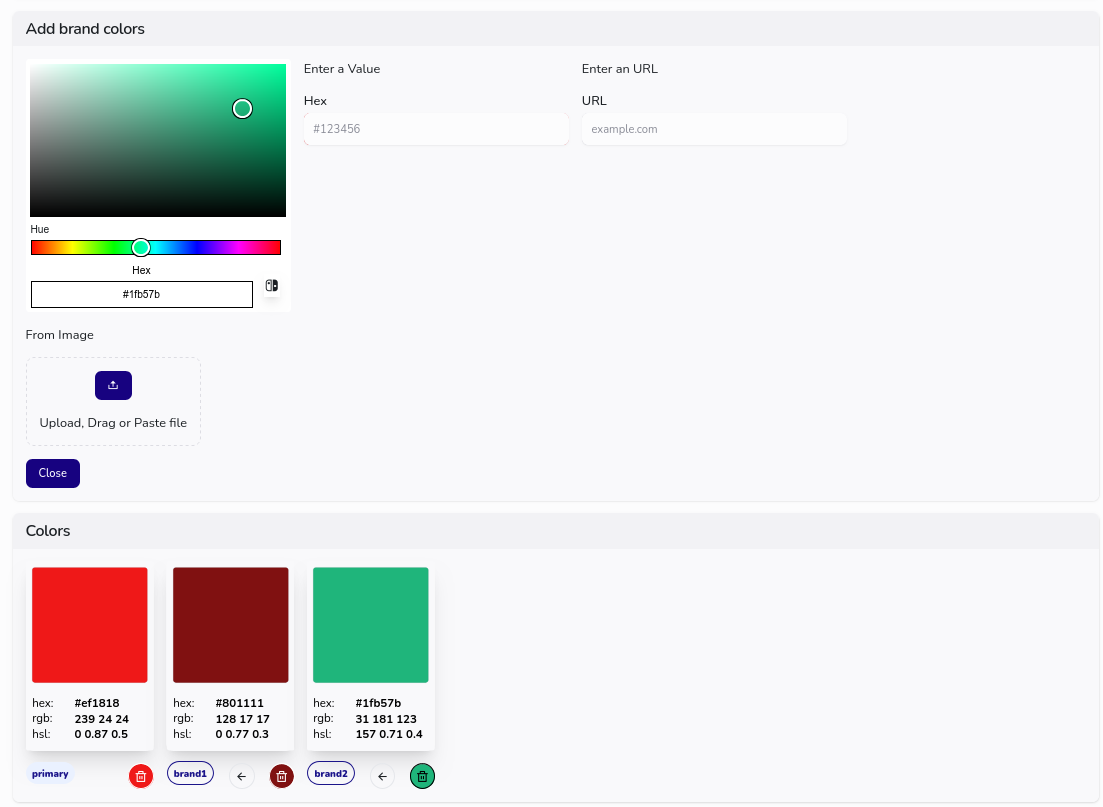
Choose add color and close this secton and you will get color patches in the settings.
Manage colors
The selected brand colors are displayed as patches along with some numbers. The first one is the brand’s primary color. This color is used for industry comparisons. The other colors are simply numbered brand colors. They can be viewed as accent colors. You can remove a color or make any numbered brand color the primary color by clicking the arrows.
The primary color can be adjusted and changed in the “Positioning” section based on competitors or in the “Industry” section based on industry distribution.
Comments
The comment section is only available for the studies with team function. Any team member can leave comments. At adding a comment a team member must choose any of the comment types (proposal, observation, concern). The team leader can delete a comment any time.